
Quick overview
AI workstation maintenance in Delhi: dust, airflow, thermal throttling during long LLM jobs, and when to book PC cleaning.
An AI workstation in Delhi runs longer GPU cycles than a weekend gaming PC. Dust from construction, dry summers, and enclosed rooms raises temperatures until thermal throttling cuts inference speed. Maintenance is boring until a client demo stutters because the GPU hit 87°C.
Quick answer
Inspect filters monthly in dusty seasons, schedule professional cleaning when fans ramp at idle, and monitor GPU temps during a 20-minute inference burn-in. Pair cleaning with airflow fixes, not only software tweaks.
Symptoms of dust-related slowdown
- Fans loud at low load
- GPU clocks drop after sustained use
- Room dust visible on intake filters
Service options
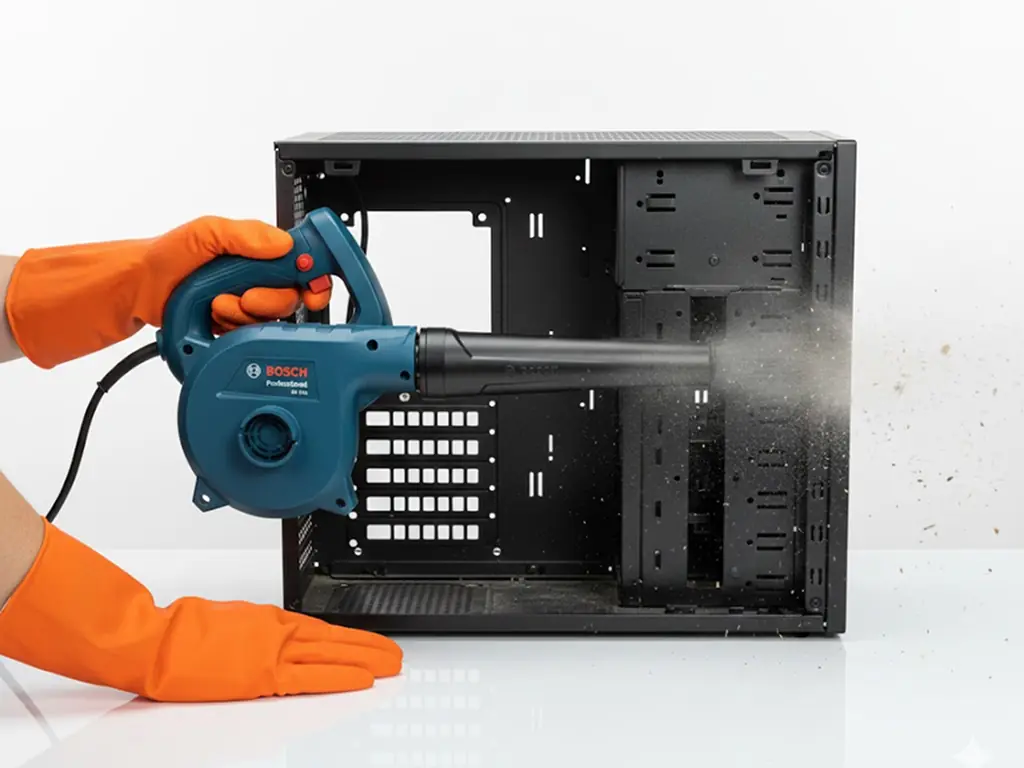
- Basic PC Cleaning for moderate dust
- DeepClean when compacted dust or deeper thermal work is needed
- CPU repaste when CPU temps spike separately from GPU
Office policy
Teams running local LLMs should add quarterly hardware checks to the same calendar as software patches. See workstation maintenance checklist.
Link to LLM performance
Throttling mimics "model feels dumb" when the GPU simply slows. Rule out thermals before you download another quant.
How Roger N Reckon can help
Roger N Reckon serves Shakarpur / Nirman Vihar and documents what cleaning includes. Book Basic or DeepClean based on dust level and symptoms.
Practical checklist
1. Write down the model size, quant level, and target context length you need. 2. Measure current GPU VRAM, system RAM, and free NVMe space before buying parts. 3. Confirm PSU wattage against the GPU vendor's required system power. 4. Plan cooling for sustained inference, not just short benchmarks. 5. Back up data before OS or hardware changes. 6. Request a written component list, testing scope, and warranty terms for any build or upgrade. 7. Re-test with the same prompt and context after changes.
Frequently Asked Questions
How often should AI PCs be cleaned in Delhi?
Every few months for dusty rooms; sooner after renovation.
Will cleaning improve VRAM?
No, only temperatures and noise.
Can I vacuum the GPU?
Avoid uncontrolled vacuum spin; use professional blower methods.
Should inference run with side panel off?
Only for short diagnosis.
Do laptops need the same cadence?
Yes, compressed air on vents helps when safe.
Final takeaway
Local LLM uptime in Delhi is part HVAC, part PC cleaning.
Featured product
Basic PC Cleaning
Keep your PC breathing easy with a fast, superficial clean of accessible vents and fans. The result is immediate relief from minor dust buildup and fan noise. The value is maintaining good basic health and preventing dust from becoming a complex issue.